



Microsoft Payment Methods: Every Option for Store, 365, Xbox, Azure, Ads & Copilot
You click Buy on a Microsoft 365 renewal, an Xbox game or an Azure sign-up, and you get the message everyone dreads: "We couldn't process your payment." The reason is rarely your balance. Most of the time, the payment method doesn't fit that particular Microsoft service or your account's country.
Microsoft runs many stores under one account, and each has its own rules. This guide puts all of them on one page: which payment methods each Microsoft product accepts, how to add or change one, why cards get declined, and which card fits your account.
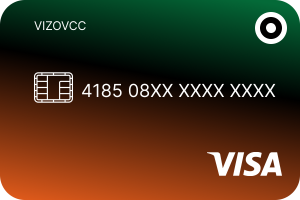
Quick Answer: Microsoft accepts credit and debit cards (Visa, Mastercard, American Express and others, depending on country), PayPal, a bank account in some countries, mobile phone billing with supported carriers, and Microsoft account balance from gift cards. Xbox in India also takes UPI. Rules differ by product: Azure doesn't accept prepaid or virtual cards, Microsoft Advertising uses card, prepay or invoice accounts, and business plans are paid in the Microsoft 365 admin center. Your card should be issued in the same country as your Microsoft account. Vizovcc issues prepaid virtual cards from many countries, including a Microsoft Payment Card, funded with crypto.
Microsoft Payment Methods by Product
| Product | Accepted payment methods | Where you manage it |
|---|---|---|
| Microsoft Store (apps, games, software) | Cards, PayPal, mobile billing, Microsoft balance; UPI on Xbox in India | account.microsoft.com → Payment options |
| Microsoft 365 Personal / Family, OneDrive storage | Cards, PayPal, bank account where offered | account.microsoft.com → Subscriptions |
| Microsoft 365 for business, Teams Essentials / Premium | Card or invoice (eligible businesses) | Microsoft 365 admin center → Bills & payments |
| Xbox and Game Pass | Cards, PayPal, Microsoft balance and gift cards, mobile billing | Xbox console or account.microsoft.com |
| Azure | Credit card (debit in most countries); invoice for businesses. No prepaid or virtual cards | Azure portal → Cost Management + Billing |
| Microsoft Advertising | Card (postpay), prepay funds, PayPal in some markets, bank transfer or invoice | ads.microsoft.com → Billing → Payment methods |
| Copilot Checkout | The merchant's checkout: cards, PayPal, Shopify or Stripe payments | Inside the Copilot chat (US) |
Availability varies by country. Microsoft notes that not all payment methods are supported in all regions.
Payment Methods Microsoft Accepts
💳 Credit and debit cards. Visa and Mastercard work almost everywhere; American Express, Discover and others depend on the country. The card should be issued in the same country or region as your Microsoft account.
🅿️ PayPal. Available in many countries for Store purchases, Xbox and Microsoft 365.
🏦 Bank account. Offered in some countries for purchases and subscriptions.
📱 Mobile phone billing. Charge purchases to your phone bill with supported carriers, such as Etisalat in the UAE.
🎁 Microsoft account balance. Redeem a Microsoft or Xbox gift card at redeem.microsoft.com. The balance pays for eligible purchases, including many Xbox subscriptions. Keep a card or PayPal on file for subscriptions that need one.
🇮🇳 UPI (India). The Xbox store in India added UPI for games and Game Pass in late 2023.
How to Add, Change or Remove a Microsoft Payment Method
All personal Microsoft payments (Store, Xbox, Microsoft 365, OneDrive) use the same account payment methods page:
1. Sign in at account.microsoft.com and open Payment options (in some menus, Payments & billing).
2. To add: select Add a new payment method, choose card, PayPal or mobile phone, and enter the details exactly as they appear on your card statement.
3. To change: select the card, then Edit. You can update the name, billing address and expiry date, but not the card number. For a new number, add the new card and remove the old one.
4. To set it for a subscription: open Subscriptions, choose the plan, then Change payment method.
5. To remove: select the card, then Remove. A card linked to an active subscription must be replaced first.
Gift cards aren't added as a payment method. Redeem them at redeem.microsoft.com and they become account balance.
Payment Methods for Each Microsoft Product
Microsoft Store and app store payment methods
The Microsoft Store on Windows and Xbox, and the online store, use your account's payment options: cards, PayPal, mobile billing and Microsoft balance. Apps and games bought with balance don't need a card at all. Some devices and regions also show extra options at checkout, so look there before you add a new method.
Microsoft 365 subscription payment methods (including OneDrive)
Microsoft 365 Personal and Family, and extra OneDrive storage, are recurring subscriptions. Pay with a card, PayPal, or a bank account where it's offered. You can also redeem a Microsoft 365 product key. Turn recurring billing on or off in Subscriptions. If a renewal fails, Microsoft gives you time to update the payment method before the plan stops.
Microsoft Teams payment methods
Teams (free) needs no payment. Teams Essentials, Teams Premium and Microsoft 365 business plans are billed through the Microsoft 365 admin center (Billing → Bills & payments → Payment methods). Add a card first, then move each subscription to it or use Replace, because adding a card alone doesn't switch any subscription. Eligible businesses can pay by invoice. Only a billing admin or the account owner can change it.
Microsoft Xbox payment methods
Xbox games, add-ons and Game Pass accept cards, PayPal, Microsoft balance from Xbox gift cards and, with supported carriers, mobile billing. On console: Settings → Account → Payment & billing. Game Pass renews automatically from your default payment method, so keep it up to date. For more, see our Steam, Xbox and PlayStation card guide.
Microsoft Azure payment methods
Azure sign-up needs a credit card, or a debit card in most countries, for identity verification. Microsoft states that prepaid and virtual cards aren't accepted for Azure subscriptions. The name, address and CVV must match exactly what's printed on the card, and you may see a temporary $1 verification hold. Businesses can apply to pay by invoice (wire transfer). We say this plainly: don't buy a prepaid card for Azure, ours included.
Microsoft Ads payment methods
Microsoft Advertising offers three account types:
👉 Postpay: your credit or debit card is charged when you reach your billing threshold or monthly billing date.
👉 Prepay: you add funds first and ad costs are deducted. PayPal is available for prepay in select markets (USD, EUR, GBP, CAD, MXN and NOK accounts), and bank transfer is also an option.
👉 Monthly invoice: for qualified advertisers, paid by bank transfer.
The options you see depend on your account currency and billing country. Advertisers often keep one card per ad account. See virtual cards for ads.
Microsoft Copilot Checkout payment methods
Copilot Checkout, launched in the US in January 2026, lets you buy products inside a Copilot chat. Payment runs through the merchant's own checkout, powered by PayPal, Shopify and Stripe. You can pay with a card or PayPal, and Stripe passes a secure token instead of your raw card number. The retailer, not Microsoft, is the merchant of record, so refunds and returns go through the store.
Microsoft Store India payment methods (UPI)
In India, the Xbox store accepts UPI alongside Visa and Mastercard cards and Microsoft balance, for games and Game Pass. If you don't see UPI on another Microsoft product, use a card issued in India or Microsoft balance. Read our Indian virtual card guide.
Microsoft Store Egypt payment methods
In Egypt, the Central Bank of Egypt restricts international payments on many domestic debit cards and on credit cards issued in foreign currency, which is why Egyptian cards are often declined on global stores. Ask your bank to enable international online payments, use a card in Egyptian pounds if your bank allows it, or pay with Microsoft balance from a gift card. Remember that your card should be issued in the same country as your Microsoft account. More in our Egypt virtual card guide.
Microsoft Edge payment methods settings
Microsoft Edge can save your cards and fill them in at checkout on any website. Open Settings → Profiles → Payment info, then turn Save and fill payment info on or off. Saved cards appear under "Cards you've saved", where you can edit or delete them. Turning the setting off stops saving and filling, but it doesn't delete cards, so remove them from the list too. These are browser settings; they don't change the payment methods on your Microsoft account.
Why Microsoft Declines Your Card, and How to Fix It
| Problem | Likely cause | Fix |
|---|---|---|
| "We couldn't process your payment" | Name, address or postal code doesn't match the card statement | Re-enter details exactly; try the postal code with and without spaces |
| Card rejected when adding | Card issued in a different country from your Microsoft account | Use a card issued in your account's country |
| Azure sign-up fails | Prepaid or virtual card | Use a regular credit or debit card from your bank |
| Declined on a subscription | Bank blocks international or recurring payments | Ask your bank to allow international online and recurring payments |
| Egyptian card declined | Central bank limits on international card payments | Enable international payments, use an EGP card, or pay with Microsoft balance |
| Purchase blocked | Unpaid balance on an earlier subscription | Pay the outstanding balance in Payment options |
Does Microsoft Accept Prepaid or Virtual Cards?
It depends on the product. Azure and Microsoft Marketplace do not accept prepaid or virtual cards. For Microsoft Store, Xbox and Microsoft 365, Microsoft doesn't publish a ban, and many prepaid cards work, but some get declined, especially for recurring subscriptions. Two things make the biggest difference:
1. Card country matches your Microsoft account's country. A US card fits a US account, an Egyptian card an Egyptian account, and so on.
2. Your details match exactly: the same name and billing address that the card issuer holds.
That's why Vizovcc issues cards from many countries. Pick the one that matches where your Microsoft account is set up, then test with a small purchase before you rely on it for a subscription.
Which Vizovcc Card Fits Your Microsoft Account
| Your Microsoft account is in… | Card | Price |
|---|---|---|
| Microsoft purchases (dedicated card) | Microsoft Payment Card | $100 |
| United States | Virtual Visa Gold (US-issued) | $200 |
| Egypt | Egyptian Maestro Debit | $100 |
| India | Indian Reloadable Visa | $100 |
| Europe | Country cards for Germany, Italy, Ireland, Portugal and more: see our European card guide | From $100 |
Notice: We accept cryptocurrency and card payment (card payment goes through our WhatsApp agent). Each price includes a one-off issue charge; the rest is loaded as spendable balance.
Why people pay Microsoft with a prepaid virtual card:
✅ Your main bank card stays off your subscriptions and game purchases
✅ Load only what the renewal costs, so there are no surprise charges
✅ Give a family member or a team their own card for Xbox, 365 or ads
✅ Fund with crypto when your local cards are blocked for international payments
✅ No monthly fee, no credit check, and the card is ready in minutes
Get your card in 4 steps
1. Sign up with Vizovcc at getvizovcc.com using your email and turn on two-factor authentication.
2. Add funds with USDT (TRC-20), Bitcoin, Ethereum, USDC, Binance Pay, Litecoin or Dogecoin, or pay by card through our WhatsApp agent.
3. Buy the card that matches your Microsoft account's country.
4. Add it in Microsoft's Payment options with the name and billing address shown on your dashboard.
Support: support@getvizovcc.com | 24/7 via email, live chat, WhatsApp, and Telegram | Response time: 1–4 hours
FAQ
What payment methods does Microsoft accept?
Credit and debit cards, PayPal, bank accounts in some countries, mobile phone billing with supported carriers, and Microsoft account balance from gift cards. Xbox in India also accepts UPI. Options vary by product and country.
Where is the Microsoft account payment methods page?
Sign in at account.microsoft.com and open Payment options. That's where you add, edit and remove cards, PayPal and mobile billing for Store, Xbox, Microsoft 365 and OneDrive.
How do I change the payment method for Microsoft 365?
Go to account.microsoft.com → Subscriptions, choose your plan, and select Change payment method. For business plans, use the Microsoft 365 admin center under Bills & payments.
Can I pay for Microsoft 365 with a gift card?
You can redeem a Microsoft 365 product key or add gift card balance, but keep a card or PayPal on file, because some recurring subscriptions need one to renew.
What payment methods does Xbox accept?
Cards, PayPal, Microsoft balance from Xbox gift cards and, with supported carriers, mobile billing. In India, the Xbox store also takes UPI.
Does Azure accept prepaid or virtual cards?
No. Microsoft states that prepaid and virtual cards aren't accepted for Azure. Use a regular credit card, or a debit card where accepted, or apply for invoice billing as a business.
How do I pay for Microsoft Ads?
Choose postpay (card charged at your billing threshold), prepay (add funds first; PayPal in select markets) or monthly invoice for qualified advertisers. The options depend on your account currency and billing country.
How do I pay for Microsoft Teams?
Teams (free) costs nothing. Teams Essentials, Teams Premium and Microsoft 365 business plans are paid by card or invoice in the Microsoft 365 admin center.
What payment methods does Copilot Checkout use?
Copilot Checkout uses the merchant's checkout, powered by PayPal, Shopify and Stripe, so you can pay by card or PayPal. It launched in the US in January 2026.
Can I pay with UPI on Microsoft Store in India?
Yes, the Xbox store in India supports UPI for games and Game Pass. For other products, use a card issued in India or Microsoft balance.
Why is my card declined on Microsoft Store in Egypt?
Egypt's central bank restricts international payments on many local cards. Ask your bank to enable international online payments, use an EGP card, or pay with Microsoft balance.
How do I manage payment methods in Microsoft Edge?
Go to Settings → Profiles → Payment info. Turn Save and fill payment info on or off, and edit or delete cards under "Cards you've saved".
Can I use a card from another country on my Microsoft account?
Microsoft expects the card to be issued in your account's country or region, and cards from other countries are often rejected. Use a card that matches your account's country.
Does Microsoft accept prepaid cards?
Not for Azure or Microsoft Marketplace. For Store, Xbox and Microsoft 365, many prepaid cards work, but some are declined for subscriptions. Match the card's country to your account and test with a small purchase.
How do I contact your support team?
Email support@getvizovcc.com or message us on live chat, WhatsApp or Telegram. We're available 24/7 and usually reply within 1–4 hours.
About This Page
Microsoft's payment options change by product and country; we checked them against the sources below in October 2026. Vizovcc is a prepaid virtual card service and isn't affiliated with Microsoft. We can't guarantee that any card will be accepted by a third-party service. This guide is general information, not financial or legal advice.
SOURCES:
Add a payment method to your Microsoft account - (Microsoft Support)
Troubleshoot Azure sign-up: prepaid and virtual cards not accepted - (Microsoft Support)
Choosing a payment method for Microsoft Advertising - (Microsoft Advertising)
Manage payment methods for Microsoft 365 business - (Microsoft Learn)
Saving credit or debit card info in Microsoft Edge - (Microsoft Support)
Microsoft Store on Xbox adds UPI in India - (SamMobile)
Cards for this guide
More in Business & international payments
- Best Freelancer Payment Solution in 2026: Get Paid Globally with Vizovcc Virtual Card
- B2B Virtual Card Payment Solutions: Secure, Crypto-Funded Cards
- Virtual card for Stripe Gateway Payment: Safe, Verified, No Declines
- Instant Virtual Credit Card for Remote Workers in 2026
- Virtual Card for Tresta: Instantly Pay for Cloud Phone Subscription
- Virtual Card for Pay Bills: Pay All Your Bills Instantly With VCC