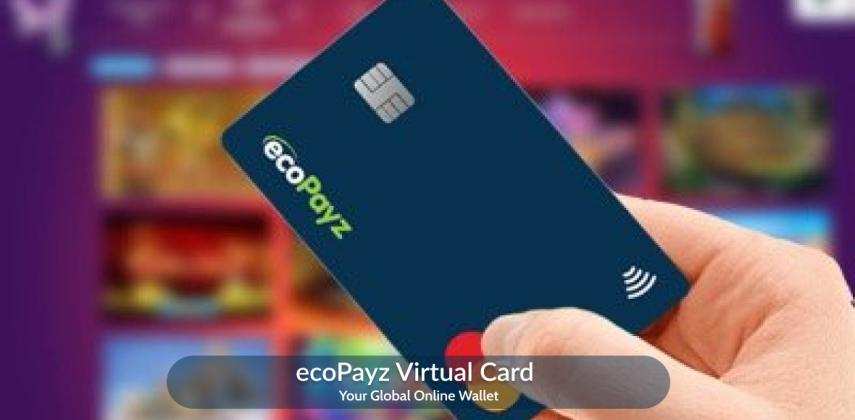
Quick answer: A virtual prepaid card you can use the same way people use an ecoPayz (now Payz) card online. Buy it in minutes, fund it with crypto or Perfect Money, and pay on sites that take Visa or Mastercard. No bank account. No KYC to buy. No physical card to wait for.
You found a great deal online. You reach the checkout, and then you pause. Do you really want to type your real bank card number into a site you just met? We built our virtual card so you never have to make that trade again.
Our ecoPayz virtual card is a prepaid card that lives on your phone or computer. You load it, you spend it, and your main bank details stay hidden. It works for online shopping, subscriptions, ads, travel sites, and more.
What Is an ecoPayz Virtual Card?
An ecoPayz virtual card is a digital prepaid card you use to pay online without a plastic card. You add money first, then spend up to that amount. It is not linked to your main bank account.
Think of it like a gift card that lives online. You get a card number, an expiry date, and a security code. You type those into any site that takes Visa or Mastercard, and the payment goes through.
Because it holds only the money you load, your risk is small. If a site is ever breached, your real bank card is not exposed. That is the main reason shoppers, freelancers, and frequent travelers like it.
A quick, honest note on the ecoPayz name
Here is something many sites skip. ecoPayz changed its name to Payz in 2023. The company and account are the same; only the brand name changed. Many shops and casinos still show the old “ecoPayz” label, so people keep searching for it.
We want to be clear about who we are. Vizovcc is an independent provider of virtual prepaid cards. We are not Payz or ecoPayz, and we are not owned by them. Our card is a separate option you can use for the same online payments people expect from an ecoPayz card.
How Does an ecoPayz Virtual Card Work?
The flow is simple. You buy the card, you load funds, and you pay. Here is each step.
Open your card: Find it in your dashboard under the Cards section.
Skip the paperwork: There is no application and no credit check. Your card is ready right away.
Start paying: Use the card number at checkout on any site that accepts Visa or Mastercard.
That is it. No waiting for the mail. No branch visit. Your card details show up on screen the moment your order clears.
Features of Our ecoPayz Virtual Prepaid Card
Our card is built to be easy to use and safe to carry. Here is what you get with every card.
Instant access: Get your card details right after checkout, with no delivery wait.
Set your own limit: Load only what you plan to spend, so you stay in control.
Multiple currencies: Pay international sites without odd currency surprises.
Mobile wallet ready: Add the card to Apple Pay, Google Pay, or Samsung Pay for tap payments where supported.
Reloadable: Top up again when the balance runs low. No need to buy a new card each time.
No KYC to buy: You can buy our virtual card without identity checks or document uploads.
Security Features That Protect Your Money
Safety is the whole point of a virtual card. These are the real protections you get, in plain words.
Your bank stays hidden: Sites see the prepaid card, not your main account number.
Spending caps: Set a limit so a single charge can never drain more than you allow.
3-D Secure checks: Many online payments add a second check to confirm it is really you.
Real-time alerts: See each charge as it happens, so odd activity stands out fast.
Loss-proof by design: There is no plastic to drop, lose, or have skimmed at a terminal.
Two-factor login: Turn on 2FA on your Vizovcc account for an extra lock on your funds.
What You Can Pay For With an ecoPayz Virtual Credit Card
People reach for an ecoPayz virtual credit card when a site will not take their normal card, or when they just want more privacy. Here is where ours works well, grouped so you can find your case fast.
| Category |
Examples |
| Shopping |
Amazon, eBay, AliExpress, and other online stores |
| Subscriptions |
Netflix, Spotify, YouTube Premium, Disney+, Audible, news sites |
| Software & SaaS |
Adobe, Zoom, Grammarly, QuickBooks, Dropbox |
| Cloud & hosting |
AWS, Google Cloud, Azure, Oracle Cloud, Alibaba Cloud, VPS plans |
| Ads & marketing |
Google Ads, Meta (Facebook and Instagram) ads |
| VPNs |
NordVPN, ExpressVPN, and others in restricted regions |
| Gaming |
PlayStation Plus, Xbox Game Pass, in-game stores |
| Travel |
Flights, hotels, and booking sites |
| Business |
Shopify, LinkedIn Premium, company setup tools, invoicing |
| Everyday apps |
Uber, Uber Eats, DoorDash, and similar services |
How to Get a Virtual ecoPayz Card From Vizovcc
You can have a working card in a few minutes. Follow these steps in order.
Step-2: Open the Cards page. Visit the
Cards section to see the virtual card options.
Step-3: Add funds. Go to “Add Funds” or “Deposit” if your balance is empty.
Step-4: Pick a payment method. Choose from options like crypto or Perfect Money.
Step-5: Confirm your deposit. Send the funds, then check that the deposit shows as complete.
Step-6: Buy your card. Return to the Cards section and pick the virtual card you want.
Step-7: Start spending. Copy your new card details and pay on any supported site.
Tip: Fill in your account profile and turn on Two-Factor Authentication (2FA) before you spend. Check your account now and then for anything that looks off, and keep your settings up to date.
ecoPayz Virtual Card Pricing and Fees
We keep pricing clear, with no surprise charges. You see the card price and any fee before you pay. Here is how to think about the cost.
| Cost item |
What to expect |
| Card price |
A one-time price shown on the Cards page before checkout |
| Annual fee |
None. We do not charge a yearly fee to hold a card |
| Reload |
A small top-up fee may apply, shown before you confirm |
| Currency conversion |
A standard rate may apply on international charges |
We run promotions from time to time, including starter deals for new users. Check the current price on the
Cards page so you always see today’s rate.
How to Use Your Virtual Card at Checkout
Paying with a virtual card works just like paying with any card online. Here is the simple version.
Step-1: At checkout, choose “credit or debit card.”
Step-2: Type the card number, expiry date, and CVV from your dashboard.
Step-3: Add the billing name and ZIP or postal code if the site asks.
Step-4: Approve any 3-D Secure prompt if one appears.
Step-5: Done. Your balance drops by the amount you spent.
For tap payments, add the card to your phone wallet first. Open Apple Pay, Google Pay, or Samsung Pay, choose “add card,” and enter the details. Then hold your phone to the reader where contactless is accepted.
Buy an ecoVoucher Prepaid Option
Some people prefer a voucher to a card. An ecoVoucher is a prepaid code you use to pay or top up without sharing bank details. It works well if you shop online often and want a quick, no-fuss method.
Like our card, a voucher keeps your spending in check. You only use the value you bought. When it runs out, you grab another. It is a clean way to budget and stay private at the same time.
Why Choose Our ecoPayz Virtual Card?
Plenty of sites sell virtual cards. Here is what sets ours apart, in plain terms.
Buy in minutes, with no KYC: Skip the ID uploads. Your card is ready fast.
Real human support: Reach our team by email or live chat when you need help.
Flexible funding: Top up with crypto or Perfect Money, on your terms.
Accepted at millions of sites: Our cards run on major networks like Visa and Mastercard.
No yearly fee: Hold your card without a recurring charge.
Clear pricing: See the cost up front, every time.
Virtual card vs. physical card: a quick comparison
| Feature |
Virtual card |
Physical card |
| Best for |
Online and in-app payments |
In-store swipe or tap |
| Wait time |
Instant |
Days, by mail |
| Risk if lost |
Very low; nothing to drop |
Can be lost or stolen |
| Privacy |
Bank details stay hidden |
Card is shown in person |
| Reloadable |
Yes |
Yes |
Get started in two steps.
Create your account, then pick your virtual card. You can be paying within minutes.
Frequently Asked Questions
What is the difference between a virtual ecoPayz card and a physical one?
A virtual card is made for online and in-app payments, and you get it instantly. A physical card is plastic you carry for in-store swipes and taps. If you mostly pay online and want more privacy, the virtual card is the better fit.
How secure is a virtual ecoPayz card?
It is one of the safer ways to pay online. Your main bank details stay hidden, you can cap your spending, and many charges use a 3-D Secure check. Since you load only what you plan to spend, any loss is limited to that small balance.
Do I need KYC to buy a virtual card?
No. You can buy our virtual card without identity checks or document uploads. Just create an account, add funds, and choose your card.
Can I use a virtual ecoPayz card for online purchases?
Yes. Our cards work on any site that accepts Visa or Mastercard. Enter the card details at checkout, the same as you would with a normal card.
Can I use it for international payments?
Yes. The card supports multiple currencies, so it works for sites based abroad. It is a steady choice when you buy from stores outside your country.
How do I reload my virtual card?
Log in, open the deposit page, and add funds with crypto or Perfect Money. Once the deposit clears, your balance updates and you can keep spending.
What fees should I expect?
You may see a one-time card price and, in some cases, a small reload fee. There is no annual fee. Every charge is shown before you confirm.
Is Vizovcc the same as Payz or ecoPayz?
No. We are an independent provider of virtual prepaid cards. ecoPayz is now called Payz, and we are not part of that company. Our card is a separate option you can use for the same kinds of online payments.
How do I get support?
Reach our team by email at support@getvizovcc.com or through live chat on our site. We are here to help whenever you need it.