


Gemini Payment Methods: What Works and What Gets Declined
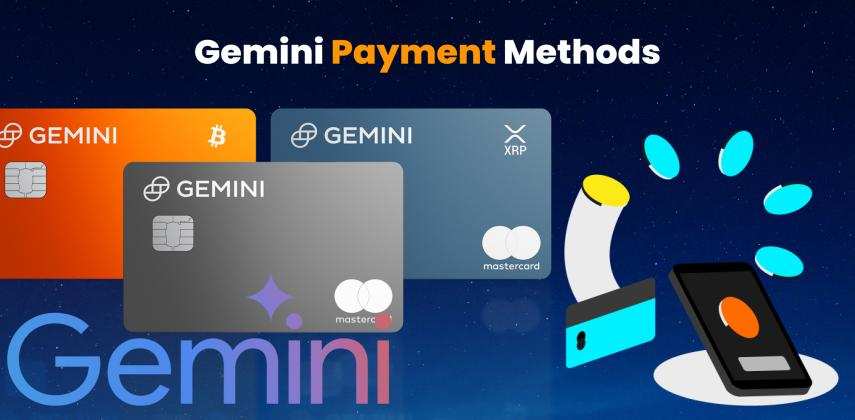
"Gemini payment methods" means two different things, because two different Gemini products exist and two different companies use the name. Google Gemini is Google's Gemini AI assistant: its paid plans (Google AI Plus, Pro and Ultra) are billed through Google Play or the Apple App Store, and its developer API is billed through Google Cloud Billing. Gemini is also a US cryptocurrency exchange, founded by the Winklevoss twins, with its own deposit methods and a Mastercard credit card. Short answer: Google accepts credit and debit cards, PayPal, local wallets, carrier billing and Google Play balance, depending on your country, and its published rules list virtual credit cards as unsupported on Google Play and prepaid cards as unsupported on Cloud Billing. The Gemini exchange takes ACH, wire, PayPal and Visa or Mastercard debit cards only. A prepaid virtual card such as a Vizovcc USD Visa or Mastercard still has a place in this picture, but a precise one, and this guide shows exactly where it works, where it does not, and what to do when your own card is declined.
Key takeaways
- Two Geminis: Google's AI (monthly users of Gemini passed 1 billion in August 2026; plans at $7.99, $19.99, $100 and $200 a month in the US) and the Gemini crypto exchange (US-focused since it closed UK, EEA and Australian retail accounts on 6 April 2026).
- What Google accepts: cards from major networks, PayPal in some countries, local wallets such as UPI, GCash, PayPay and MoMo, carrier billing, and Google Play balance. "Virtual Credit Cards (VCC)" are on Google Play's unsupported list, and Cloud Billing refuses prepaid cards outright.
- What the exchange accepts: ACH and wire (free), PayPal (2.50%), Visa or Mastercard debit cards (3.49%, $1,000 per 24 hours); no credit cards and no prepaid cards.
- Where a Vizovcc card fits: buying Google Play or Apple gift codes to pay from balance where Google and Apple allow it, paying Gemini-based tools and API gateways that bill by ordinary card, and every other AI subscription that takes prepaid Visa or Mastercard. Not as a card saved directly in Google Play, not in Cloud Billing, and not as exchange funding.
Which Gemini Do You Mean? Google Gemini vs the Gemini Exchange
| Google Gemini (AI) | Gemini (crypto exchange) | |
|---|---|---|
| What it is | Google's AI assistant and model family; the Gemini app, Gemini in Gmail and Docs, NotebookLM, Flow, Antigravity, and the Gemini API for developers | Gemini Trust Company, a New York-regulated exchange and custodian founded in 2014, with a Gemini Credit Card issued by WebBank |
| What you pay for | Google AI Plus, Pro or Ultra subscriptions (the former Google One AI Premium and Gemini Advanced); API usage per token | Crypto purchases, trading fees, transfer fees |
| Who bills you | Google Play / Google Payments (web, Android), Apple (iPhone app), Google Cloud Billing (API) | Gemini itself, from your linked bank account, card or PayPal |
| Accepted methods | Credit and debit cards, PayPal (selected countries), local wallets, carrier billing, Google Play balance; API: credit and debit cards, bank account where supported | ACH, wire, PayPal, Visa/Mastercard debit, crypto deposits |
| Not accepted | Virtual credit cards (Play), prepaid cards and two-factor debit cards (Cloud Billing), wire transfers, HSA and transit cards | Credit cards (including its own), prepaid cards, business or joint-account debit cards |
| Where it operates | Gemini app in 140+ countries; AI plans in 140+ countries | United States and selected other markets; UK, EEA and Australia retail accounts closed 6 April 2026 |
Everything below is split along that line: the sections on Gemini and Google billing first, the exchange after. If you came here for the AI, read the next four sections. If you came here for the exchange, skip to "Gemini Exchange Payment Methods".
Google AI Plans and Prices: AI Plus, AI Pro, AI Ultra, and How Much Gemini Costs
How much does Gemini cost? Google reorganised its subscriptions at I/O on 19 May 2026. The Gemini app is free with usage limits; the paid plans add higher limits, newer models, storage and AI features across Gmail, Docs and Search. If you only use AI occasionally, the free app is enough; you pay for AI when the limits bite. Prices below are US list prices; most countries pay less in local currency, and India pays ₹399 for AI Plus.
| Plan | US price | What you get | Best for |
|---|---|---|---|
| Gemini app (free) | $0 | Gemini app with limits; AI Studio free tier for developers | Trying it |
| Google AI Plus | $7.99 a month (half price for two months at launch); under $5 in most other markets | More Gemini access, 200–400 GB storage, Flow credits, Gemini in Gmail and Docs, family sharing with up to five people | Students, light users, price-sensitive markets |
| Google AI Pro (many still call it Gemini Pro or Gemini Advanced) | $19.99 a month | Access to Gemini 3.1 Pro and the newest models, Deep Research, 5 TB, 1,000 Flow credits, Antigravity and AI Studio access, $10 Google Cloud credit a month, YouTube Premium Lite in selected countries | Daily professional use |
| Google AI Ultra (5×) | $100 a month (new on 19 May 2026) | Five times Pro's usage, 20 TB, YouTube Premium, Antigravity priority, $40 Cloud credit | Developers and heavy creators |
| Google AI Ultra (20×) | $200 a month (was $250) | Twenty times Pro's usage, 30 TB, Project Genie, $100 Cloud credit | Teams and power users |
Two offers matter if you qualify. US college students can claim a free year of Google AI Pro, and students in more than 140 other markets a free year of Google AI Plus, both through SheerID verification and both until 31 December 2026; a payment method is still required at sign-up. Limits in the Gemini app are now compute-based rather than a fixed number of prompts, refresh every five hours, and Pro and Ultra subscribers can buy pay-as-you-go top-ups. For a like-for-like comparison, ChatGPT Plus costs $20 a month and Claude Pro $20; our ChatGPT Plus payment methods and Claude AI guides cover those.
Google Gemini Payment Methods: What Google Accepts by Platform
Short answer: the methods saved in your Google payments profile, which depend on the profile's country. Google AI subscriptions are sold through Google One and billed through Google Play's payment system on the web and Android; if you subscribe inside the Gemini iPhone app, Apple bills you instead; business and school accounts cannot buy the consumer plans and use the Workspace Gemini add-on.
| Where you subscribe | Accepted payment methods | Not accepted |
|---|---|---|
| Google One / Google Play (web, Android), United States | Visa, Mastercard, American Express, Discover, JCB; PayPal; Venmo; Cash App Pay; Google Pay balance; Google Play balance and gift cards | Wire transfers, Western Union, MoneyGram, Virtual Credit Cards (VCC), HSA cards, transit cards, escrow |
| Google One / Google Play, other countries | Credit and debit cards on the networks available locally; PayPal in selected countries; local wallets (UPI in India, GCash and Maya in the Philippines, PayPay in Japan, KakaoPay in Korea, MoMo in Vietnam, GoPay and OVO in Indonesia, TrueMoney in Thailand); carrier billing with supported operators; Google Play balance in selected countries | Same list; carrier billing excludes many prepaid phone numbers and rooted phones |
| Gemini app on iPhone or iPad | Whatever your Apple Account accepts: credit and debit cards, Apple Pay, Apple Account balance from Apple gift cards, PayPal and local methods where Apple offers them | Apple's rules apply, not Google's; manage the subscription in Apple settings |
| Google Workspace (business or school accounts) | The organisation's Workspace billing or a Gemini Enterprise plan: card or invoice | Consumer AI plans are not available on these accounts |
| Gemini API (developers) | Google Cloud Billing: credit cards, debit cards with a Visa or Mastercard logo, bank account where supported; PayPal only in Spain, Italy and Mexico | Prepaid cards, debit cards that require two-factor authentication, disbursement-only bank accounts, wire for prepay accounts |
Three rules explain most surprises. First, your first saved payment method must be a card; wallets and balance come after. Second, Google Play balance is accepted for subscriptions in some countries and not others (reliably in Japan, South Korea, Thailand and Vietnam according to a 2026 survey of Google's country pages; inconsistent in the US, India, Indonesia and Brazil), and balance only pays in its own currency. Third, the payments profile's country decides everything: if your profile says one country and your card another, expect a decline, and changing country means creating a new profile.
To add the card to Google, open pay.google.com or Google Play, choose Payment methods, then Add payment method, enter the card details (card number, expiry, CVC and billing address) and confirm the payment of a small authorisation; the first time you make a payment, a successful payment appears in your payment history within minutes. To replace an old card, add the new card first, then set it as primary for the Gemini subscription under Subscriptions, and only then remove the old one. A declined payment pauses the plan until there is a working payment method attached; errors in the payment profile, such as pending verification, show in the account status at pay.google.com. Protect the account with 2-step verification, because the Google account that holds the subscription also holds your mail and files.
Why Your Card Is Declined for Google AI Pro, and How to Fix It
Google's help pages give a short list of causes, and the long tail of forum threads from Nigeria, Pakistan, Morocco, Kenya, Vietnam and Türkiye fills in the rest.
| Cause | How it shows | Fix |
|---|---|---|
| Bank blocks foreign or recurring online charges | "Transaction was declined", often OR-FGEMF-20 | Ask the bank to enable international online payments and recurring billing; many banks have an app toggle |
| Payments-profile country does not match the card's country | Decline or "not available in your country" | Use a card issued in the profile's country, or create a new payments profile for the country you live in |
| Billing address or CVC wrong, card expired | Immediate decline | Correct the details in Google Pay; the address must match the issuer's record |
| Card type unsupported | Decline with no bank record of an attempt | Virtual credit cards are on Play's unsupported list; some prepaid cards are refused too. Use a bank debit or credit card, PayPal, a local wallet or Play balance |
| Profile needs verification | OR-CCSEH-05, OR-BAIH-01, "verify your identity" | Complete the verification request or contact Google support; these codes are on Google's "contact support" list |
| AI plan not sold in your country | Plans page shows storage tiers only | Check availability; Google AI Plus and Pro are in 140+ countries but features roll out unevenly |
| Work or school account | No subscribe button | Use a personal Google account |
What not to do: vendors of "Gemini cards" tell users to enter a US billing address and a US profile. That breaks Google's terms, invites a profile suspension that takes your Drive and Gmail with it, and leaves you no recourse on a chargeback. Every route in this guide keeps your real country.
Gemini API Payment Methods for Developers: Free Tier, Prepaid Credits and Cloud Billing
The Gemini API has two tiers. The free tier in Google AI Studio needs no payment method, covers selected models with rate limits, and uses your prompts to improve Google's products. The paid tier (Gemini API billing) links a Google Cloud project to a Cloud Billing account: you manage projects and API keys in AI Studio, each API key inherits its project's billing, and paid API access raises the rate limits. (Developers often say API token; Google calls it an API key.) Since 23 March 2026 new AI Studio users start on a prepaid plan, buying credits in advance that expire after twelve months, and spend caps set at billing-account level pause requests when the cap is reached; you track Gemini API usage and Google AI Studio usage on the Usage page. The $300 free trial credit that new Cloud accounts receive no longer counts as eligible Google Cloud credits for Gemini API charges on accounts opened after 2 March 2026, so the available credit shown in the console may not apply. Paid-tier content is not used for training. Cloud Billing accepts credit cards and Visa or Mastercard debit cards, and bank accounts where supported once you have billing history; it refuses prepaid cards, debit cards that require two-factor authentication, and PayPal outside Spain, Italy and Mexico. Headline prices per million tokens as of November 2026:
| Model | Input | Output | Note |
|---|---|---|---|
| Gemini 4 Argon | $2.00 | $10.00 | Rises to $4.00 / $20.00 on 1 December 2026 |
| Gemini 3.8 Flash | $0.75 | $3.75 | Doubles on 1 January 2027 |
| Gemini 3.1 Flash-Lite | $0.25 | $1.50 | Audio input $0.50 |
| Gemini 2.5 Flash-Lite | $0.10 | $0.40 | Cheapest text model |
| Gemini 3.1 Pro Preview | $2.00 (≤200k context) | $12.00 | $4.00 / $18.00 above 200k |
| Batch API | 50% off the standard rates for asynchronous jobs | ||
If Cloud Billing will not take your card, you do not have to give up on Gemini models. Gateways such as OpenRouter resell the same models at pass-through token prices, bill by ordinary card through Stripe or in USDC, and charge a top-up fee of about 5%; coding tools and AI agent frameworks such as Cursor, Replit and Windsurf include Gemini models in subscriptions paid by card; and Google's own Antigravity and AI Studio access is bundled into the consumer AI Pro and Ultra plans, with a monthly Cloud credit of $10 to $100. For hobby projects the free tier plus one of these routes is usually enough.
Gemini Exchange Payment Methods and the Gemini Credit Card: ACH, Wire, Debit, PayPal
The exchange's transfer fee schedule dated 20 January 2026 and its help centre are precise, so this section is short.
| Method | Deposit fee | Limits and rules | Speed |
|---|---|---|---|
| ACH bank transfer (US) | Free | Linked personal bank account; ACH withdrawals also free | Funds available to trade quickly, withdrawable after settlement |
| Wire transfer | Free to receive (your bank may charge); $25 to withdraw in USD | Any amount | Same or next business day |
| Debit card (Visa or Mastercard) | 3.49% of the purchase | Debit only, no credit or prepaid cards; the cardholder must be the Gemini account owner; billing address must match the bank; two cards per account; $1,000 per 24 hours for instant and recurring buys; cannot withdraw to a card | Instant |
| Apple Pay / Google Pay | Same as debit card | Debit cards only inside the wallet | About 15 minutes |
| PayPal | 2.50% of the deposit | US accounts where offered | Minutes |
| Crypto deposit | Free | Network fee on withdrawal, shown before you confirm; Gemini keeps none of it | After network confirmations |
Two 2026 facts change who can use this at all. In February 2026 Gemini announced it would close retail accounts in the UK, the EEA and Australia; they went withdrawal-only on 5 March and closed on 6 April 2026, with an eToro transfer option, as the company cut a quarter of its staff and refocused on the US and prediction markets. And the Gemini Credit Card, a WebBank-issued Mastercard for US residents, now pays 4% back on gas and EV charging on the first $300 a month, 3% on dining, 2% on groceries and 1% on everything else, in your choice of more than 40 cryptocurrencies, with no annual fee and no foreign transaction fee, a variable APR of 18.49–34.49%, and a $200 crypto bonus after $3,000 of spending in 90 days. It is a rewards card for spending, not a way to fund the exchange: credit cards, including Gemini's own, cannot buy crypto on Gemini.
Where a Prepaid Virtual Card Fits in Gemini Payments, and Where It Does Not
Here is the honest map. A prepaid USD virtual Visa or Mastercard bought with crypto solves the problem most readers of this page actually have, a local card that is blocked for foreign subscriptions or a balance that lives in USDT, but it has to be used through routes Google and Apple accept.
| Route | How it works | Status under the platform's rules |
|---|---|---|
| Google Play balance | Buy a Google Play gift code for the country of your Google payments profile from a reseller that accepts Visa or Mastercard (Bitrefill, Dundle, Eneba and similar also take crypto directly); redeem it under Payments & subscriptions; pay Google AI Plus or Pro from balance | Play balance is an accepted method; balance for subscriptions is country-dependent, so check the Play payment options in your region before buying a code |
| Apple Account balance | Buy an Apple gift card for your App Store country, redeem it, subscribe inside the Gemini iPhone app | Apple accepts account balance for subscriptions; the balance must cover the renewal each month |
| Gemini models through gateways and tools | OpenRouter credits, Cursor, Replit, Windsurf, Poe and other services that bill by card through Stripe or similar processors | Standard card payments; prepaid Visa and Mastercard are normally accepted, 3-D Secure applies when the merchant asks |
| Other AI subscriptions and the rest of your stack | Claude, ChatGPT, Midjourney, DeepSeek, hosting, domains, Meta and Google Ads in USD | Card payments at the merchant; see our guides for Midjourney, DeepSeek and Microsoft |
| Saving the card directly in Google Play | — | Not supported: Google Play lists virtual credit cards as unsupported; a decline or later removal is likely |
| Adding the card to Google Cloud Billing for the API | — | Not supported: prepaid cards are refused |
| Funding the Gemini exchange | — | Not supported: debit cards in the account holder's name only; prepaid and credit cards refused |
Why bother with the gift-code step instead of saving the card? Because it is the route Google documents, it keeps your real country on the profile, and it caps your exposure to exactly the amount of the code. A Vizovcc card makes the step cheap: the card is in USD, so a reseller charging in dollars costs you no conversion, it is reloadable, and it never touches your bank account. For developers and creators the gateway route is simpler still, since those merchants take the card directly.
Our Virtual Visa and Mastercard Cards: Prices
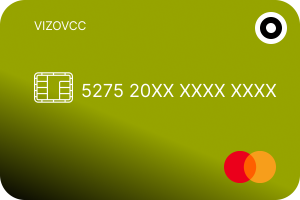
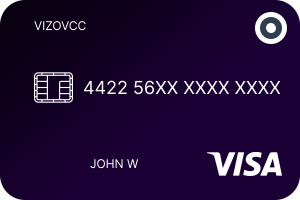
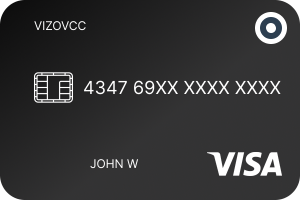
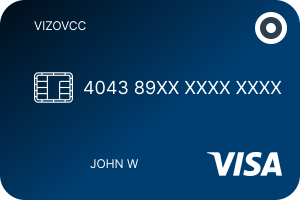
Every card is a USD prepaid card on the Visa or Mastercard network, bought with USDT, USDC, Bitcoin, Ethereum or Litecoin, delivered to your dashboard in minutes and reloadable from your balance. The price is the issue charge plus the opening balance; there is no monthly fee and no identity check.
| Card | Price | Issue charge | Loaded balance | Validity | |
|---|---|---|---|---|---|
| Mastercard Reloadable Classic | $100 | $5 | $95 | 1 year | Get this card → |
| Visa Virtual Universal | $100 | $5 | $95 | See card page | Get this card → |
| Virtual Visa Gold | $200 | $10 | $190 | 2 years | Get this card → |
| Virtual Visa Platinum | $300 | $15 | $285 | 3 years | Get this card → |
A worked example. A freelance designer in Lagos wants Google AI Pro ($19.99), Claude Pro ($20) and Midjourney ($10) and holds savings in USDT. On a Vizovcc Mastercard Reloadable Classic, Claude and Midjourney are paid directly; for Gemini she buys a Nigerian Google Play code from a reseller in USD each month and redeems it, so her payments profile stays Nigerian and no local bank is involved. Total card cost: a $5 issue charge once, then reloads at the amounts she chooses. Hold several cards if you like one per service, and freeze any of them from the dashboard the moment a charge looks wrong. The full range is on the cards page.
Need a USD card for your AI stack today?
Create a free account, send USDT and have a USD Visa or Mastercard in your dashboard in minutes. No bank, no documents, reload whenever you need.
How to Pay for Gemini With a Virtual Card in Four Steps
- Create an account and deposit crypto. An e-mail address and a password; send USDT, USDC, BTC, ETH or LTC to the address shown and the balance is credited in USD after confirmation.
- Buy the card. Pay the price from your balance; the number, expiry, CVV and billing address appear in your dashboard. Our buy-a-prepaid-card-with-crypto guide shows every screen.
- Pick the route. Gemini-based tools, gateways and other AI subscriptions: enter the card at checkout with the dashboard billing address. Google AI Plus or Pro: buy a Google Play code for your profile's country from a reseller, redeem it, and choose Play balance when you subscribe. Gemini iPhone app: do the same with an Apple gift card.
- Keep it topped up. Subscriptions renew monthly; a balance below the renewal amount is the most common reason a prepaid card or a Play balance fails. Reload from your crypto balance in minutes.
Security: Why a Separate Balance Beats Your Main Card for AI Subscriptions
AI subscriptions are the fastest-growing line on many people's statements, and they are recurring charges on merchants you cannot easily call. A prepaid virtual card changes the maths: it holds only what you loaded, so a leaked number or a forgotten trial costs you the balance and nothing more; it has no link to your salary account, so there is nothing to drain; you can freeze it in the dashboard and reload a fresh one; and 3-D Secure is handled on the card side when a merchant asks for it. Use one card per service, keep the billing address exactly as the dashboard shows it, and never enter a billing country you do not live in. Those three habits remove most declines and all of the account-suspension risk.
Honest Pros and Cons
| Pros | Cons |
|---|---|
| Pays Gemini-based tools, API gateways and other AI subscriptions directly, in USD, with no bank account | Not an accepted direct payment method on Google Play or Google Cloud Billing; Gemini via Google needs the gift-code route |
| Funds the Google Play or Apple balance route at USD prices, keeping your real country on the profile | Play balance for subscriptions is country-dependent; check before buying a code |
| Bought in minutes with USDT, USDC, BTC, ETH or LTC; no identity documents | Crypto is the only funding method |
| Reloadable, several cards per account, freeze from the dashboard | Cannot fund the Gemini exchange, which takes debit cards in the account holder's name only |
| Caps exposure on recurring charges and trials | USD only: non-USD charges are converted at the card network rate |
| One $5–$15 issue charge, no monthly fee | Apple Pay and Google Pay support depends on the specific card |
Gemini Payment Methods FAQs
What payment methods does Google Gemini accept?
The ones saved in your Google payments profile: credit and debit cards on the networks available in your country, PayPal in selected countries, local wallets such as UPI, GCash, PayPay, KakaoPay, MoMo and GoPay, carrier billing with supported operators, and Google Play balance where Google allows it for subscriptions. On iPhone, Apple's payment methods apply instead.
Can I pay for Google AI Pro with a prepaid or virtual card?
Google Play's accepted-methods page lists virtual credit cards as unsupported, and some prepaid cards are refused as well. The documented alternatives are a bank card, PayPal, a local wallet, carrier billing, or Google Play balance loaded from a gift code, which you can buy with a prepaid card at a reseller.
Does the Gemini API accept prepaid cards?
No. Google Cloud Billing refuses prepaid cards and debit cards that require two-factor authentication. Use a credit card or an ordinary debit card, or reach Gemini models through a gateway such as OpenRouter or a coding tool that bills by card.
Is there a free way to use Gemini?
Yes. The Gemini app is free with limits, the API has a free tier in AI Studio, US college students can claim a free year of AI Pro and students in 140+ other markets a free year of AI Plus until 31 December 2026.
How much do Google AI Plus, Pro and Ultra cost?
In the US, $7.99, $19.99, and $100 (5× Pro limits) or $200 (20×) a month since 19 May 2026. Most other countries pay less in local currency; India pays ₹399 for AI Plus.
Why does Google keep declining my card for Gemini?
Usually one of four things: your bank blocks foreign or recurring online charges, your payments-profile country does not match the card, the billing details are wrong, or the card type is unsupported. Codes OR-CCSEH-05 and OR-BAIH-01 mean the profile needs verification; OR-FGEMF-20 is a generic decline, usually the bank.
What payment methods does the Gemini crypto exchange accept?
ACH and wire transfers (free), PayPal (2.50%), and Visa or Mastercard debit cards (3.49%, $1,000 per 24 hours), plus crypto deposits. Credit cards and prepaid cards are not accepted, and retail accounts in the UK, EEA and Australia were closed on 6 April 2026.
Can I buy crypto on Gemini with a credit card or a prepaid card?
No. Gemini accepts only debit cards in the account holder's name with a matching billing address. Neither a credit card, including the Gemini Credit Card, nor a prepaid virtual card will be accepted.
What is the Gemini Credit Card and who can get it?
A Mastercard issued by WebBank for US residents that pays rewards in crypto: 4% on gas and EV charging (first $300 a month), 3% dining, 2% groceries, 1% elsewhere, no annual fee, no foreign transaction fee, variable APR 18.49–34.49%. It is a spending card, not a funding method for the exchange.
Can I pay for Gemini with Google Play balance or a gift card?
Google One's help page lists Google Play balance as an accepted method in selected countries, and Google's country pages confirm subscriptions from balance in Japan, South Korea, Thailand and Vietnam, while other countries are inconsistent. Check the payment options shown at subscription time in your region before buying a code; a code must be for the same country as your payments profile.
Can I use the Gemini app from a country where the paid plans are not sold?
The free app is available in more than 140 countries, and the paid plans in 140+. Where a plan is not offered, no payment method will make the subscribe button appear; using a false country on the profile risks the whole Google account.
Is a Vizovcc card a credit card?
No. It is a prepaid virtual Visa or Mastercard: you load USD from crypto and spend that balance. There is no credit line, no credit check and no credit history built.
How do I fund and reload the card?
Deposit USDT, USDC, Bitcoin, Ethereum or Litecoin to the address in your dashboard; the balance is credited in USD after confirmation and a reload reaches the card within minutes.
The Bottom Line
There is no single "Gemini payment method". Google bills its AI plans through Google Play and Apple, with cards, PayPal, local wallets, carrier billing and Play balance, and bills the API through Cloud Billing with cards only. The Gemini exchange takes bank transfers, PayPal and debit cards, in the US. A prepaid virtual card is not on Google's or the exchange's accepted lists, and any page that tells you to fake a US address to get around that is selling you a problem. What a Vizovcc USD card does well is everything around that rule: it pays the gateways and tools that give you Gemini models by ordinary card, it pays Claude, ChatGPT, Midjourney and the rest of your stack, and it funds the Google Play or Apple gift-code route in dollars without a bank, so a blocked local card or a USDT balance stops being the reason you cannot subscribe.
Get your USD Visa or Mastercard for AI subscriptions
Free account, crypto deposit, card in minutes. Reload when you need it, freeze it when you do not.
Sources
- Google Play Help: Accepted payment methods on Google Play (unsupported list includes Virtual Credit Cards)
- Google Cloud: Add, remove, or update a payment method (prepaid cards not accepted)
- Google One Help: Change your card and fix payment issues
- Google: Google AI plans (Plus, Pro, Ultra)
- Google blog, 19 May 2026: Everything new in our Google AI subscriptions
- TechCrunch, 27 January 2026: Google AI Plus rolls out to all markets
- Google AI Studio: Gemini API pricing
- Gemini: Transfer fee schedule (20 January 2026)
- Gemini Help: What cards can I use on Gemini (debit only, no credit or prepaid)
- Gemini Help: Closing accounts in the UK, EU and Australia
- Gemini: The Gemini Credit Card
- Google Pay Help: Fix issues when you pay for Google products (error codes)